
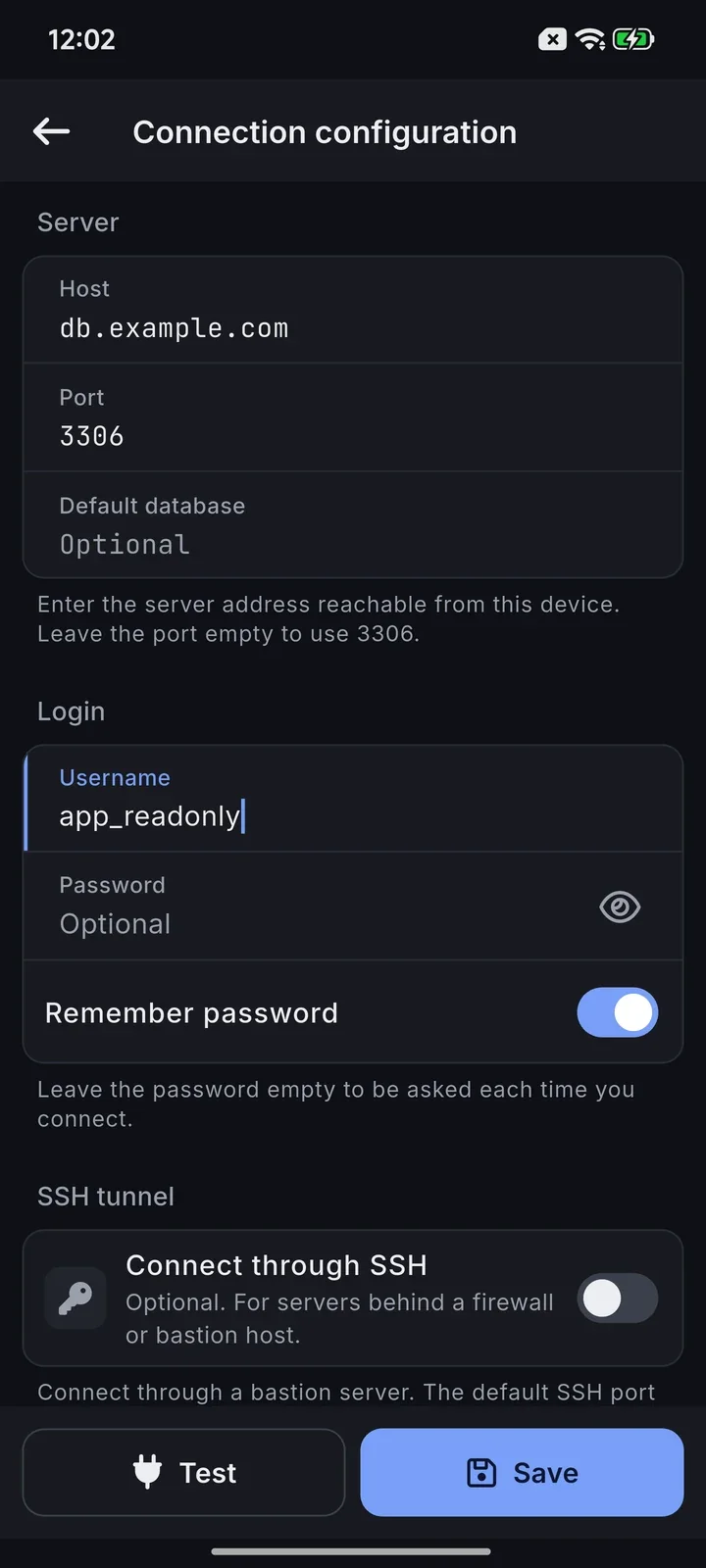
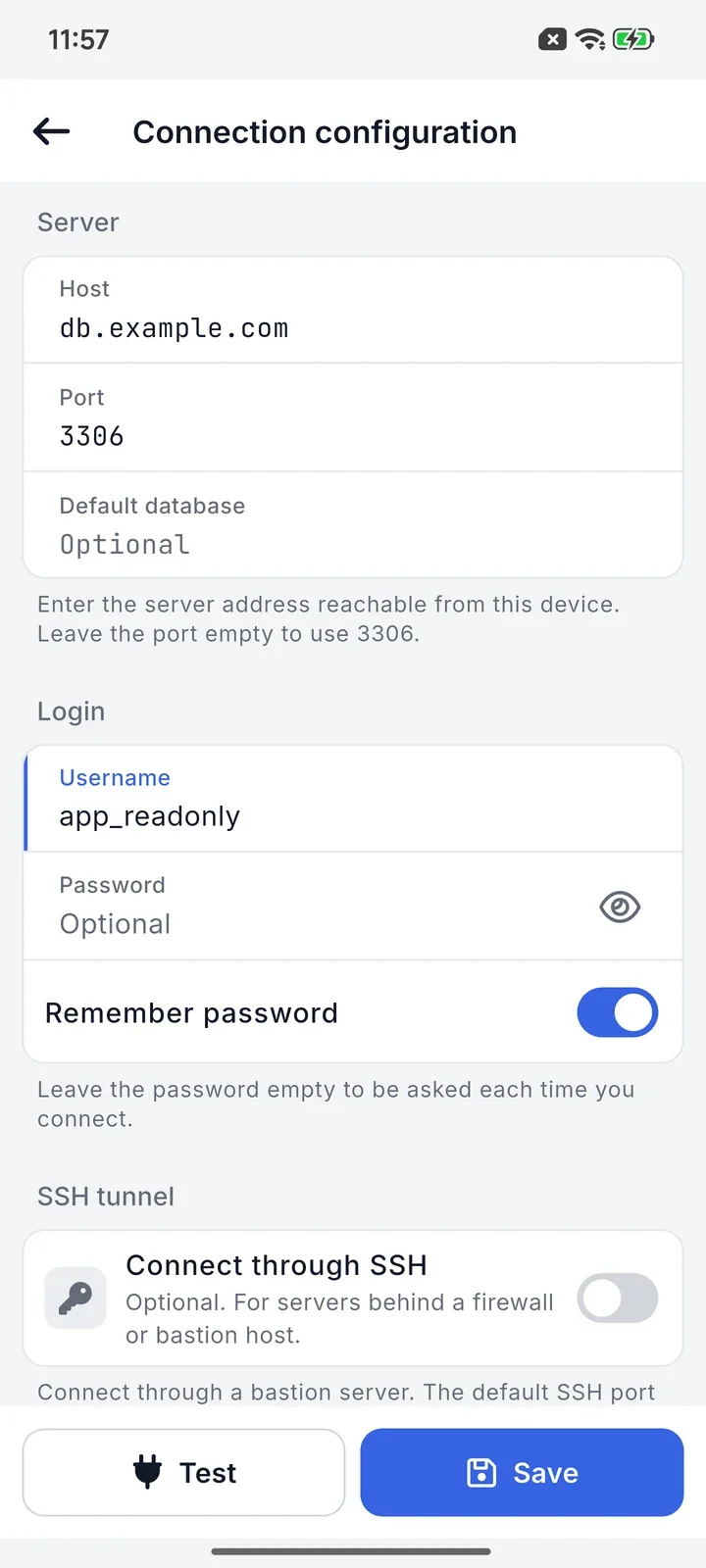
- Host & Port: Enter the server hostname or IP. Leave Port empty to use 3306.
- Username & Password: Leave Password empty if you want HiSQL to prompt on each connect.
- Default database (Optional): Leave blank to browse every database your account can access.
4-Step Visual Guide · Adapts to Light & Dark Theme
Connect to MySQL in 4 quick steps
Basic → SSH → SSL → Test & Save. One simple flow works for AWS RDS, DigitalOcean, VPC, VPS, and Docker.
STEP 01
Enter basic Server & Login details
Tap "+ New connection" and fill in your host and account:
STEP 02
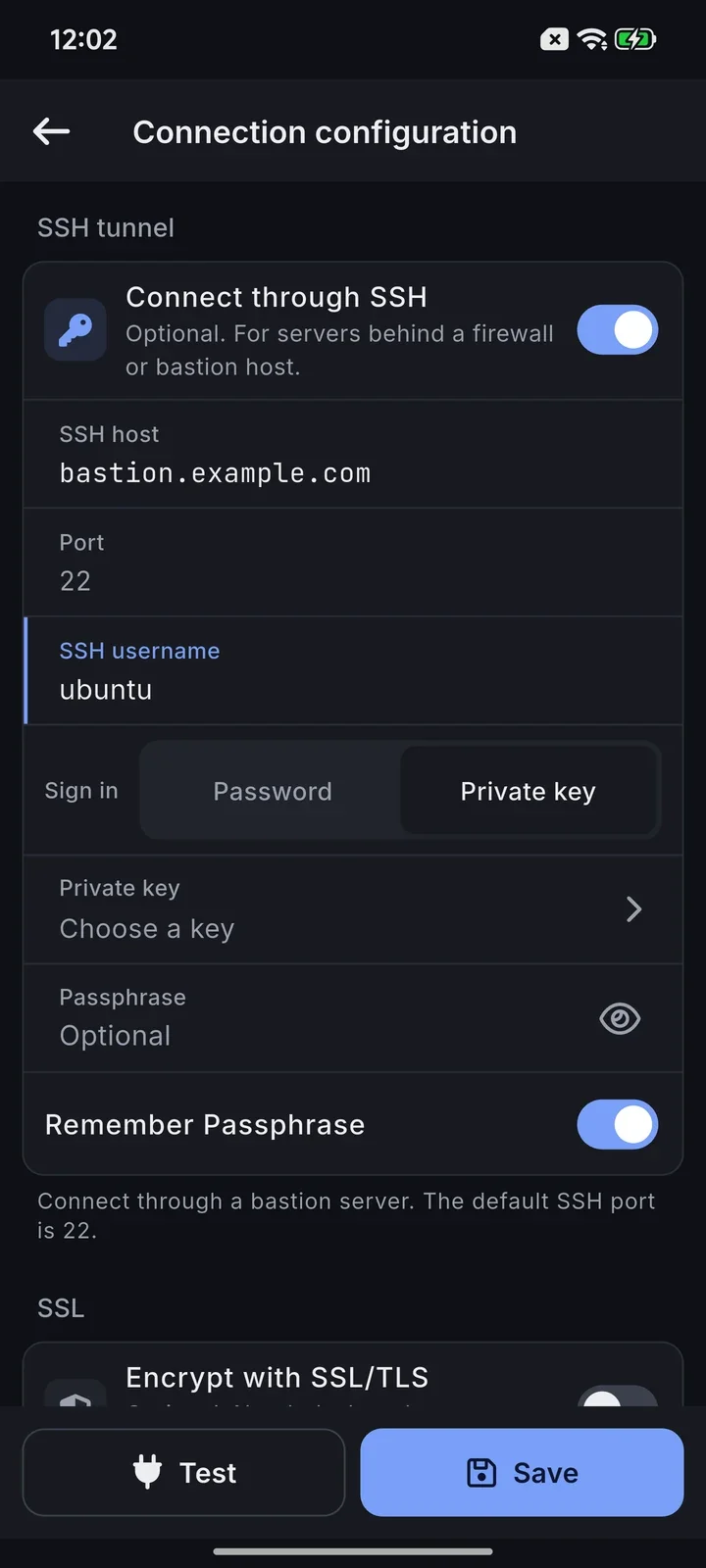
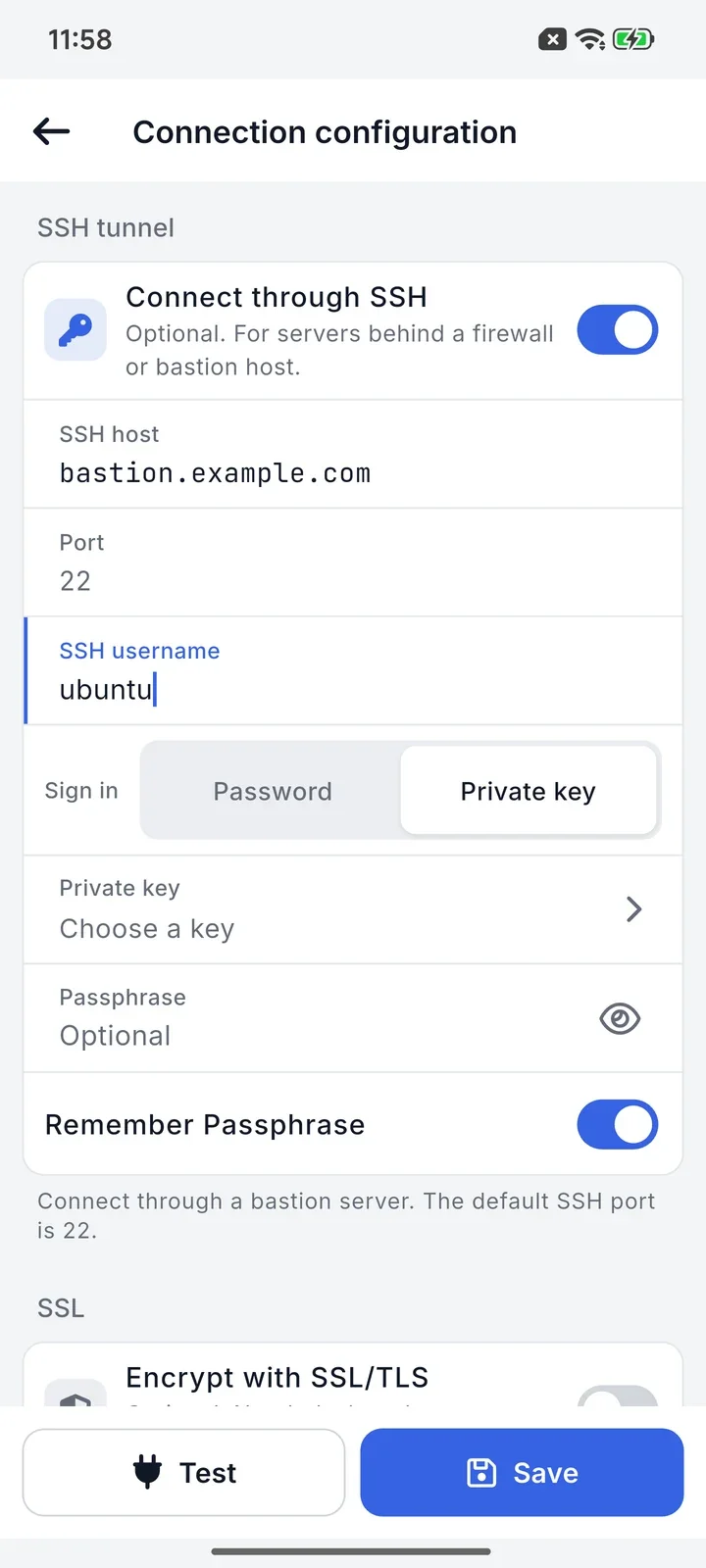
Enable SSH tunnel (Private VPC / Cloud)
Keep port 3306 private by turning on "Connect through SSH":
- Bastion details: Enter your public SSH host, port (default 22), and SSH username.
- Password or Private key: Use Password or switch to Private key to import from file or clipboard.
- Top Host tip: With SSH on, set top Server → Host to the MySQL address from the bastion (e.g. 127.0.0.1 or private RDS endpoint).
STEP 03
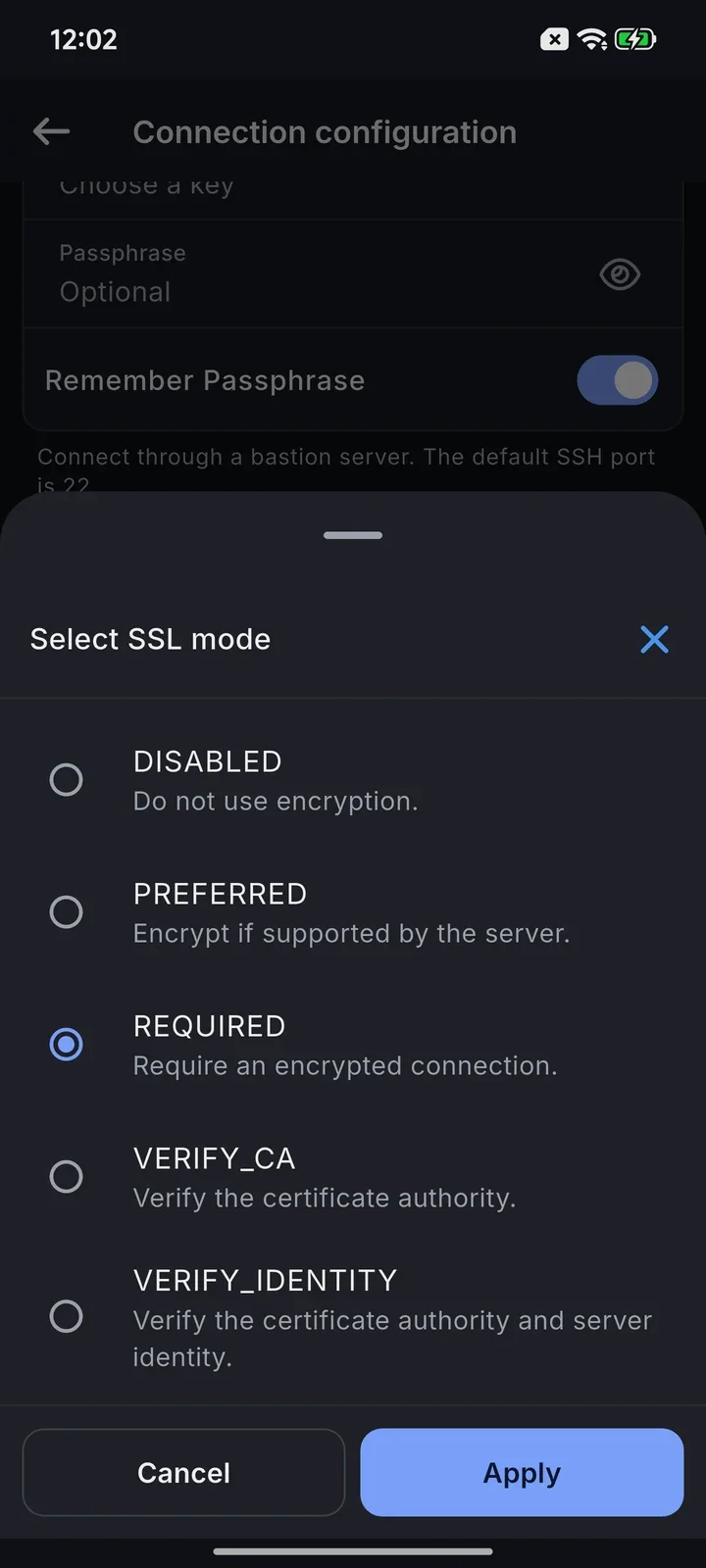
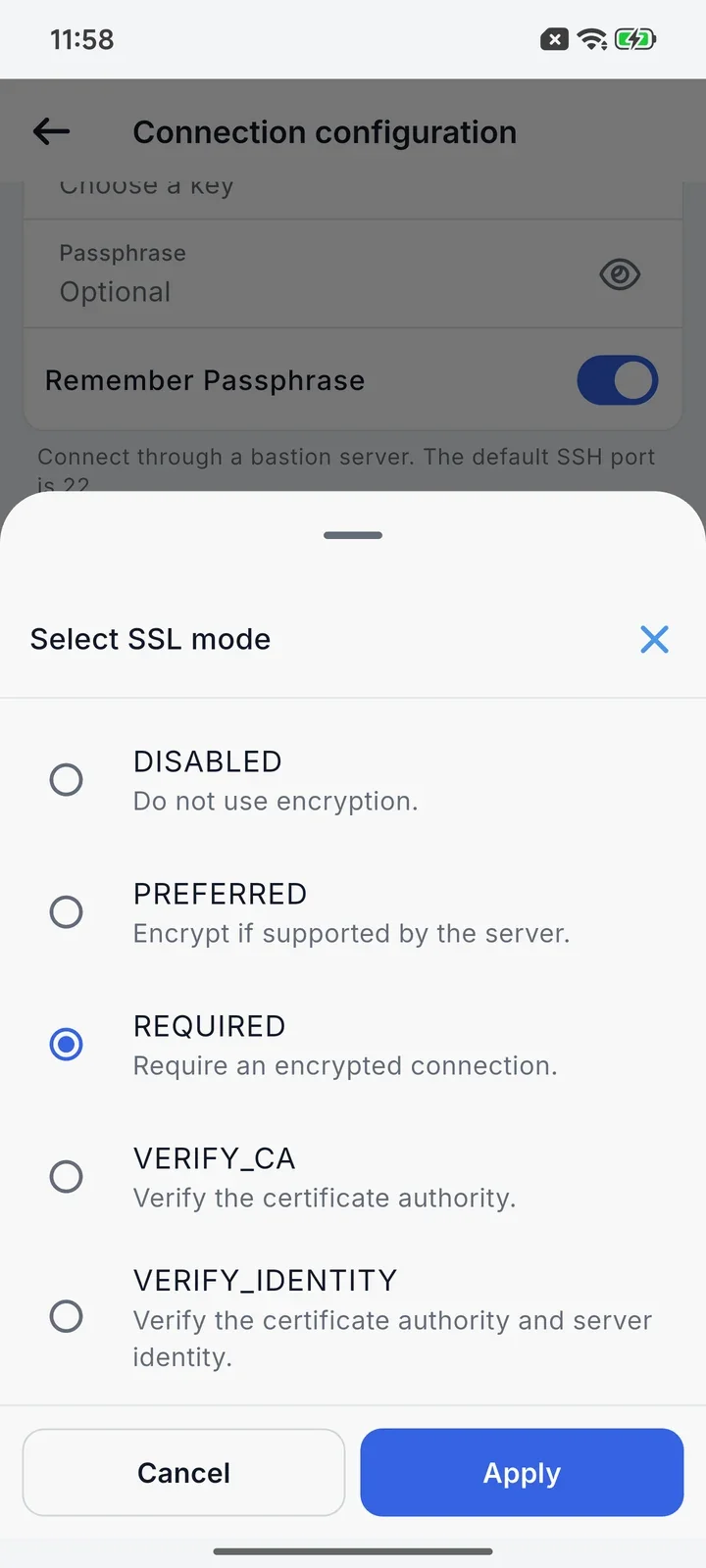
Enable SSL/TLS encryption
Toggle "Encrypt with SSL/TLS" and pick the SSL mode your host expects:
| SSL Mode | When to use |
|---|---|
DISABLED / PREFERRED | No encryption, or encrypt automatically if supported. |
REQUIRED | Require encryption (works out of the box for most cloud MySQL hosts). |
VERIFY_CA / VERIFY_IDENTITY | Verify certificate authority and hostname using your CA file below. |
Client certificate and key files are optional unless your server requires mutual TLS.
STEP 04
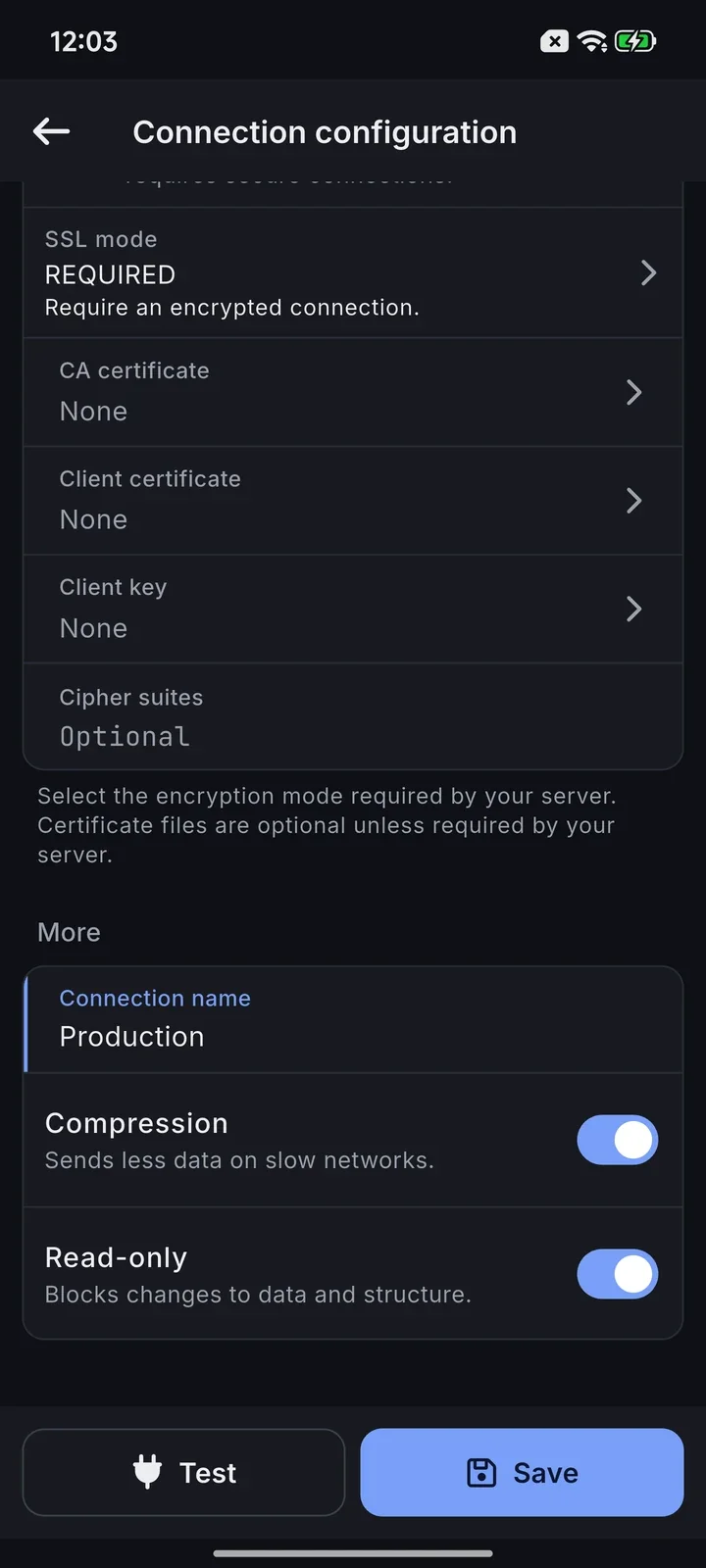
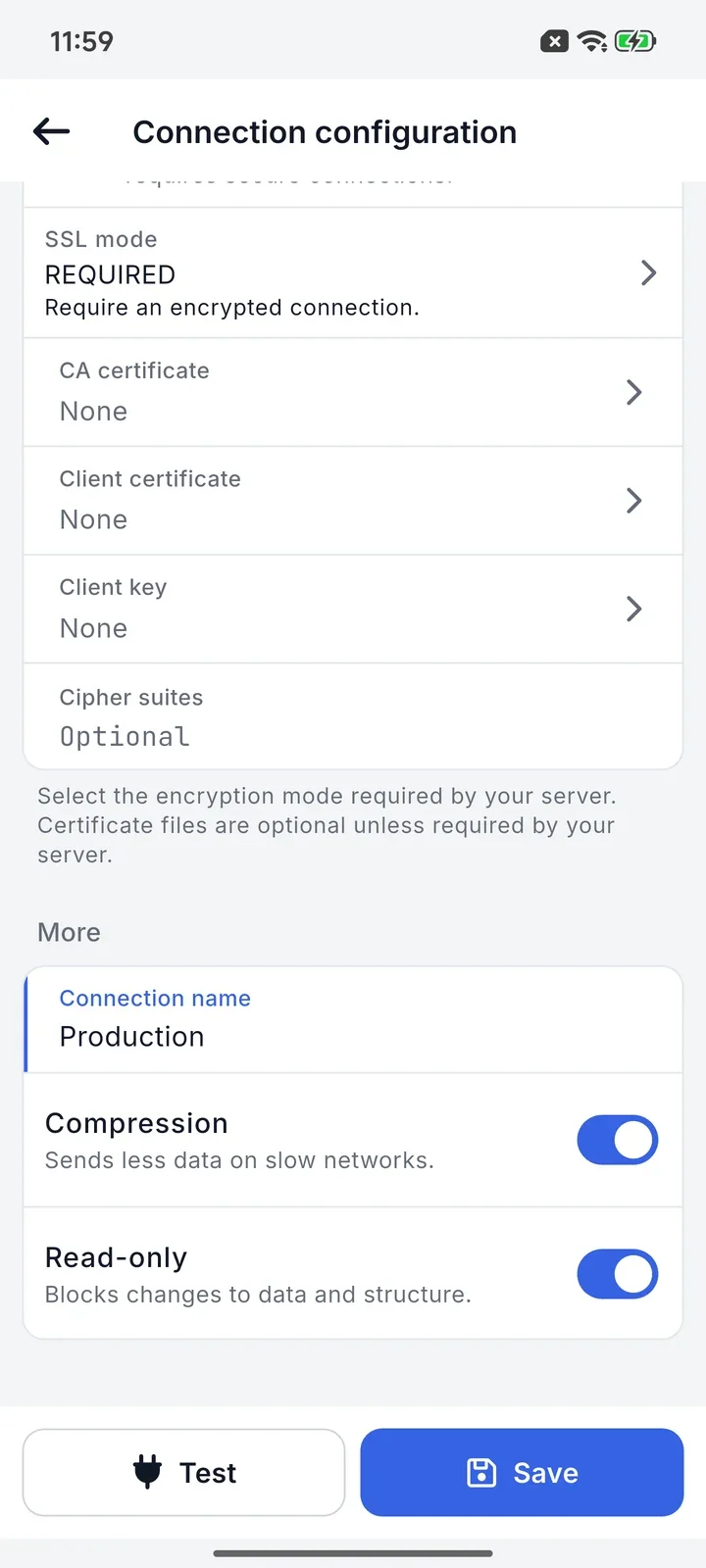
Turn on Read-only, Test & Save
Scroll to "More" for safety toggles, then test before saving:
- Read-only: Blocks changes to data and structure — ideal for production databases.
- Compression: Sends less data over slow cellular or high-latency networks.
- Test → Save: Tap Test to verify connectivity, then tap Save to finish.
Quick reference by environment
Same 4 steps everywhere — only these values differ:
| Environment | Host / Port | SSH Tunnel | Typical SSL Mode |
|---|---|---|---|
| AWS RDS MySQL | Private RDS endpoint · 3306 | Via EC2 bastion (private key) | REQUIRED / VERIFY_CA |
| DigitalOcean MySQL | Cluster host · custom port (e.g. 25060) | Optional per allowlist | REQUIRED / VERIFY_CA |
| Alibaba / Tencent RDS | VPC internal host · 3306 | Via ECS / CVM bastion | PREFERRED / REQUIRED |
| Self-hosted VPS / Docker | 127.0.0.1 · 3306 (via SSH) | Recommended (keep 3306 closed) | Optional (SSH encrypts link) |